
netcup API
Learn how the netcup API works.
You can open the API via the following link: netcup API Documentation
The APIs in the Customer Control Panel (CCP) allow you to programmatically perform various actions.
Authentication
Requesting an API Key
To use the API functions, you need an API key.
- Log in to the Customer Control Panel (CCP).
- Go to the Domains menu item on the left.
- In the Results section, click the magnifying glass icon next to the domain in question.
You need an API Key if the domain uses CloudDNS – you can tell by the CloudDNS tab.
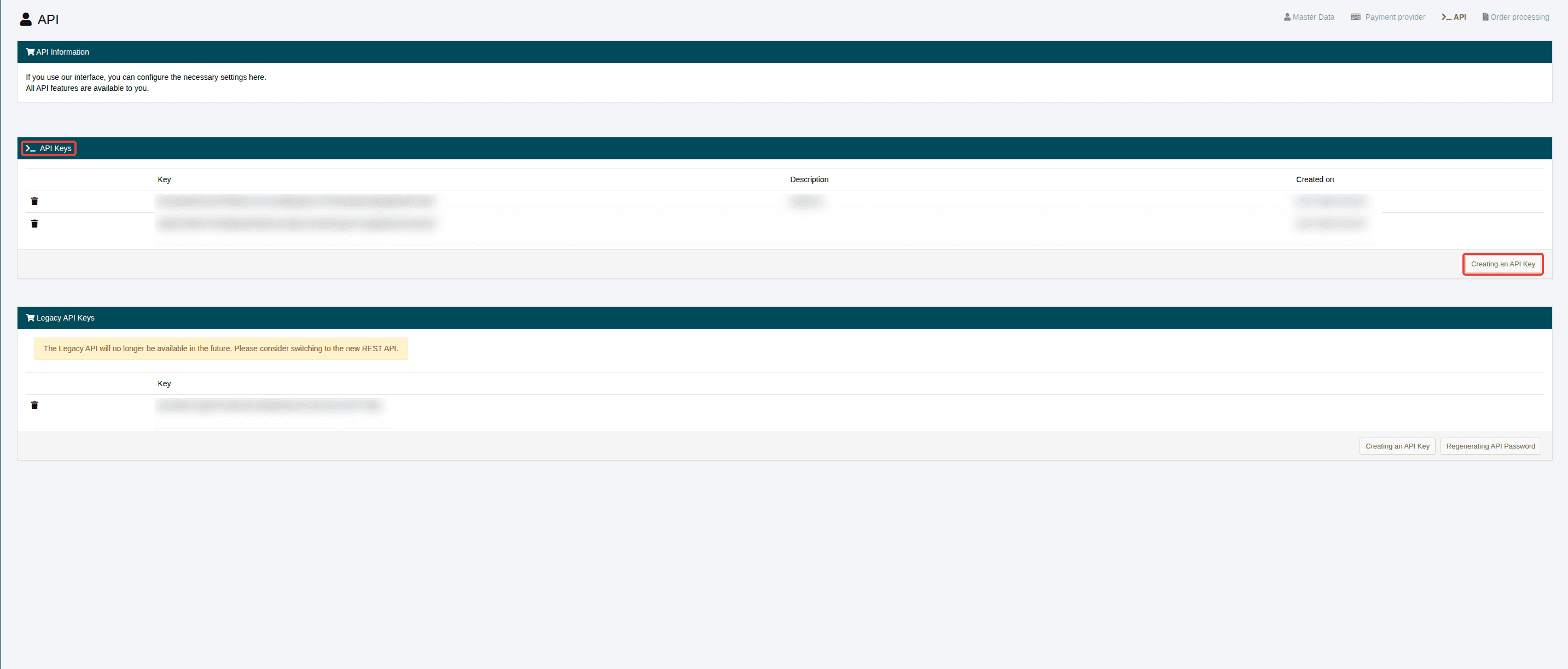
You can find the required information for the API Key in the CCP under Master Data > API.
Creating an API Key
To connect to the interface, you need at least one API Key – you can also create this in the CCP under Master Data > API. To create an API Key, click the Creating an API Key button in the lower-right corner of the API Keys section.
We generate the API Key, and it is long enough to ensure a high level of security.
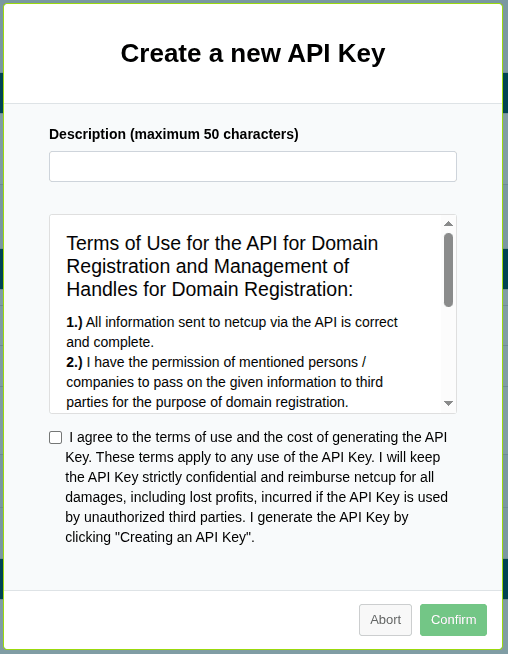
- Enter a description for your new API Key (maximum 50 characters) in the field provided.
- Read the API Terms of Use and check the box to indicate that you agree to them.
- Then, click the Confirm button in the lower-right corner.
Your newly created API Keys will then be displayed in the API Keys section, and you can now implement them in your client.

Deleting API Key
You can create multiple API Keys and delete them individually.
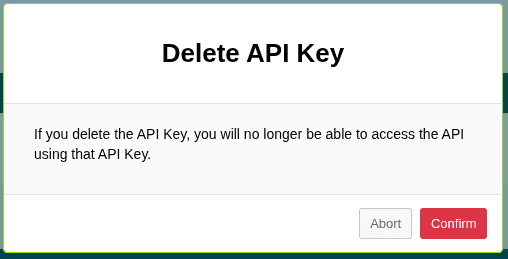
If you delete an API Key, you will no longer be able to access the API using that key.
- Click the trash can icon to the left of the API key you want to delete.
- Click the Confirm button in the lower-right corner.
The REST API is case-sensitive, so use lowercase letters only, as uppercase letters can lead to errors.