
Using Webmail
Learn how to access the webmail interface for your web hosting.
You can access the webmail interface via two URLs, both provided by netcup:
- https://webmail01.netcup.net (with the netcup logo)
- https://webmail01.webhosting.systems (white-labeled, without a logo)
1. Opening Webmail
Getting Started
- Log in to the Customer Control Panel (CCP).
- Go to the Products menu item.
- Click the Magnifying Glass Icon next to the desired web hosting plan.
- Click Auto-Login MAIL.
- You are now in the Webhosting Control Panel (WCP) for email. To learn how to set up email addresses, go to: Setting Up and Managing Email
Changing Password (optional)
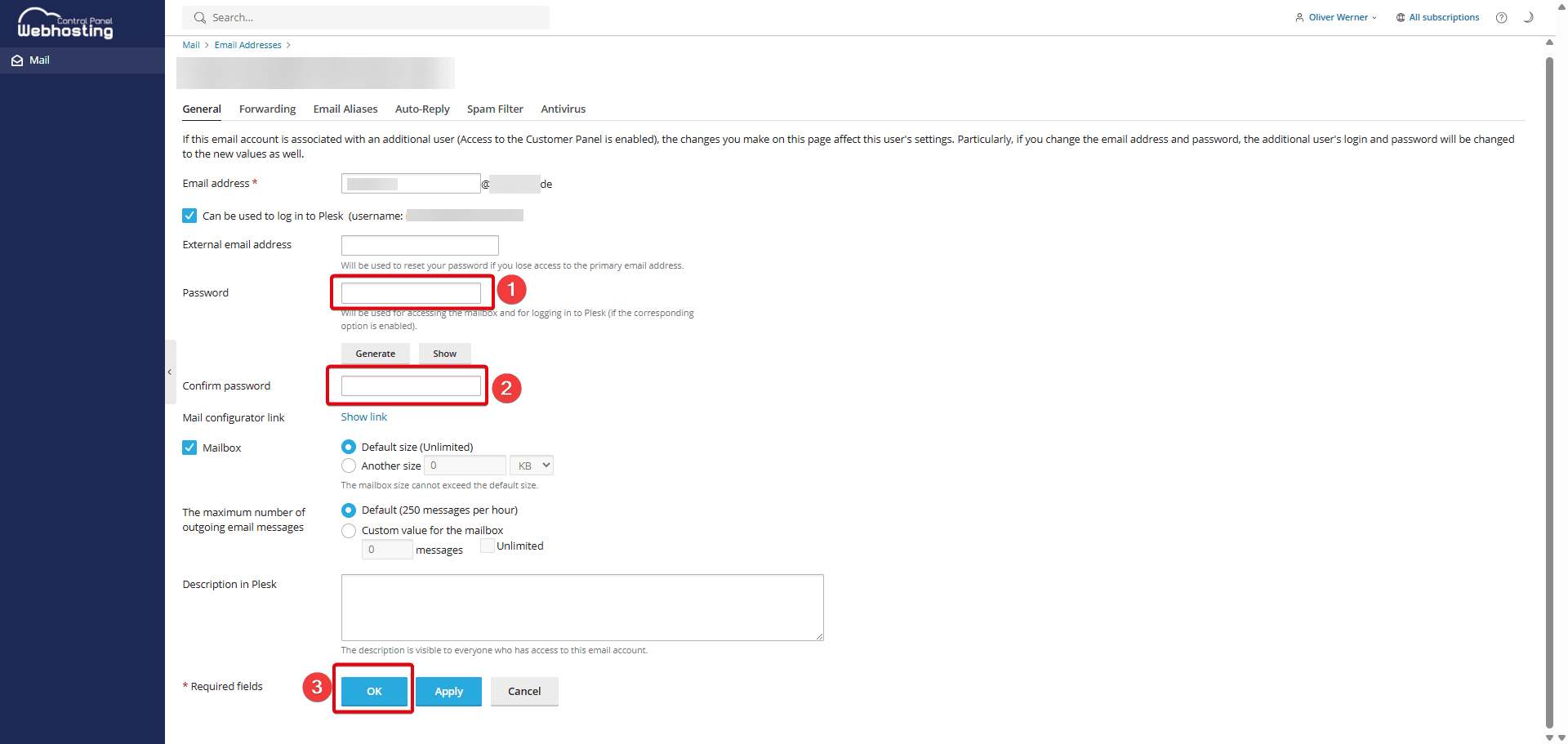
When you created your email address, you chose a password. Follow these steps to change it:
- Click on the email address you want to change.
- Under Password, enter a new password or click Generate to have a password created for you.
- Re-enter the password under Confirm password.
- Click OK.
- Please note that you will then need to update the password in external email clients.
Opening Webmail
- You can access the webmail interface via two URLs, both provided by netcup:
- https://webmail01.netcup.net (with the netcup logo)
- https://webmail01.webhosting.systems (white-labeled, without a logo)
- For reseller web hosting, you can access the interface via: webmail.domainname.tld
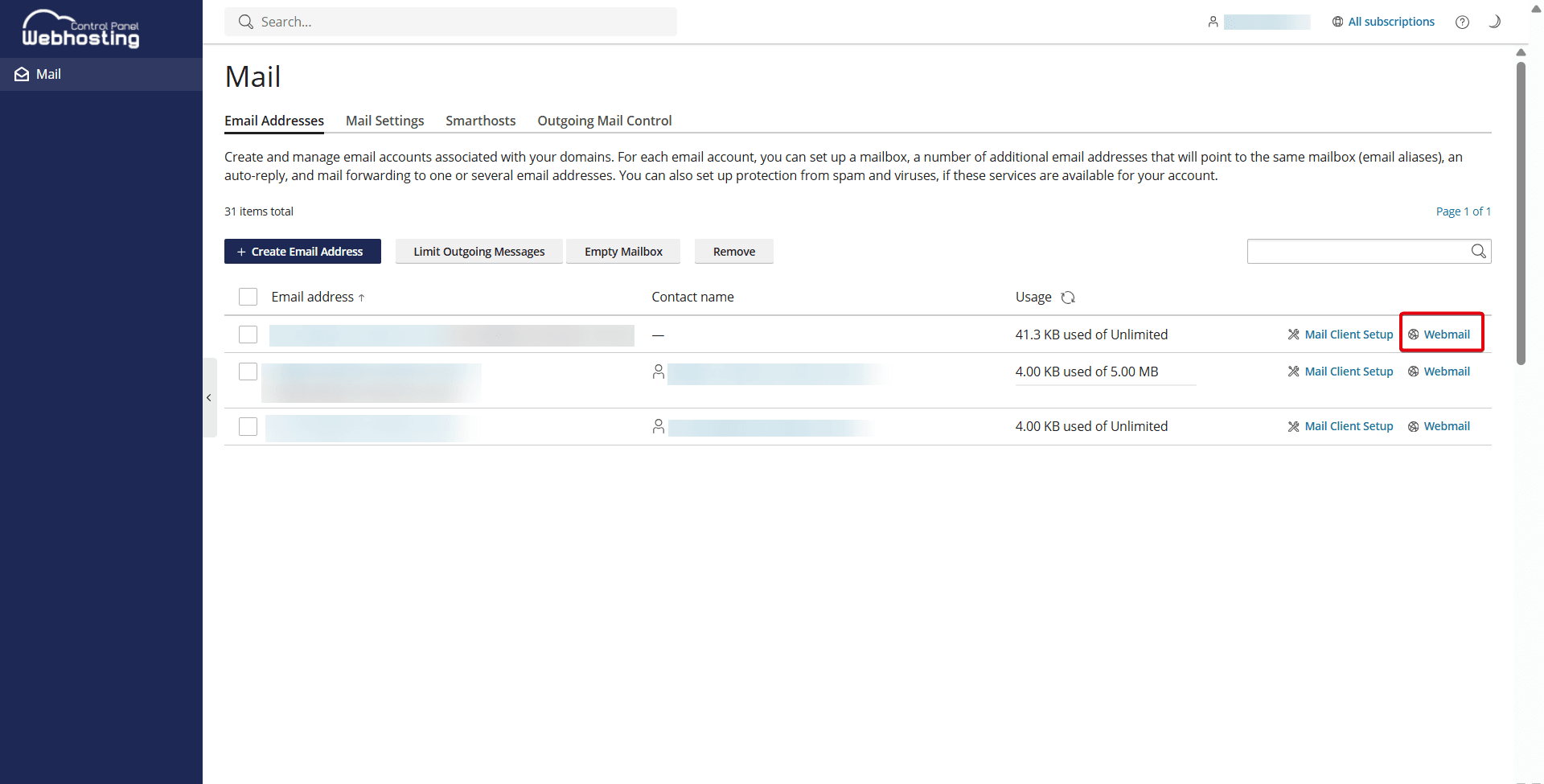
- Alternatively, you can click Webmail next to the email address in the Webhosting Control Panel (WCP).
- Log in with your email address and password.
2. Setting Up Filters
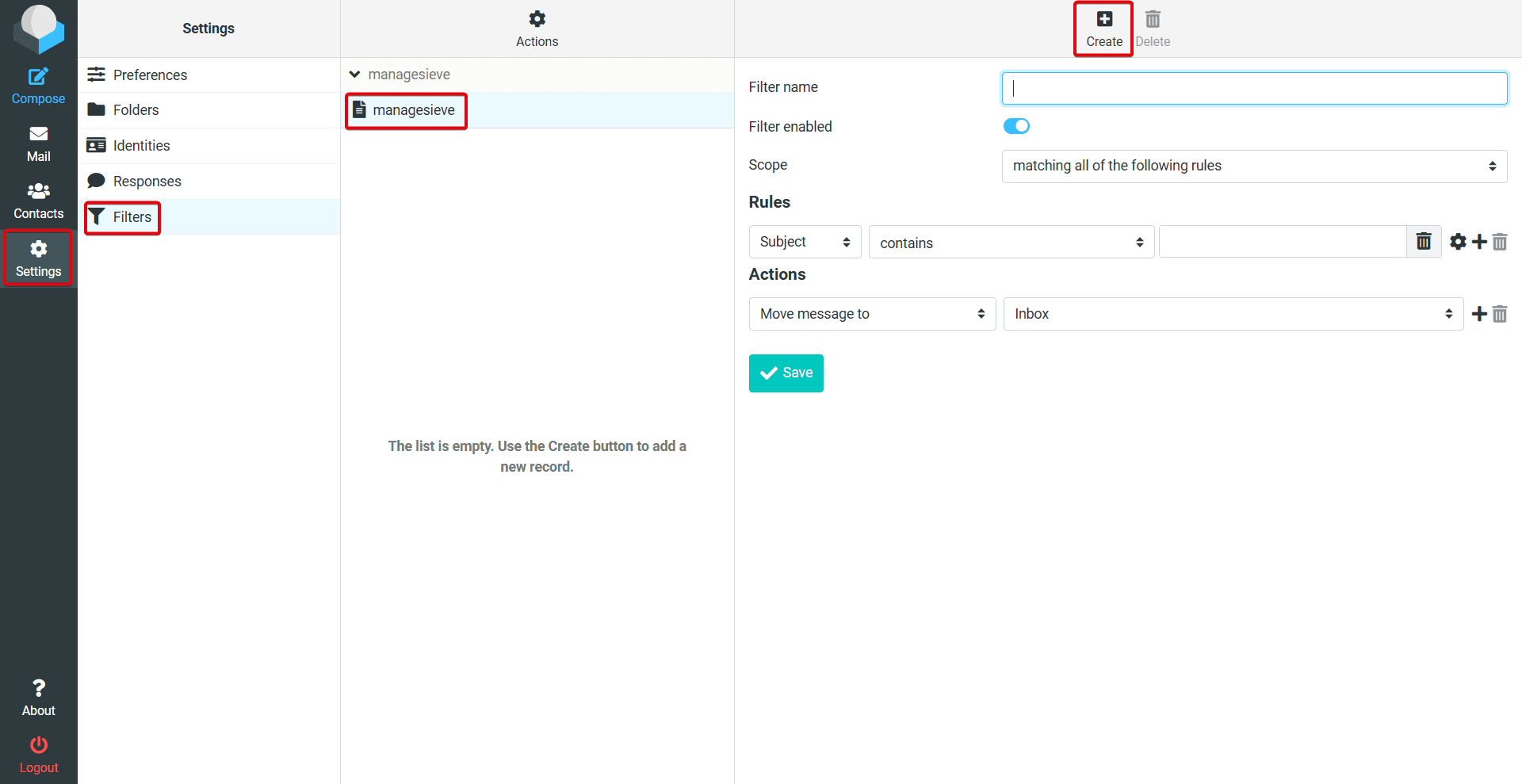
- Go to Settings> Filters > managesieve.
- Click Create.
- Name the filter and configure your desired filter settings. To learn how to set up forwarding, see: Setting Up Email Forwarding
- The rules configured here are stored on the server and are therefore client-independent.
3. Downloading Emails
If you want to send an email as an attachment—for example, to Customer Support—follow these steps:
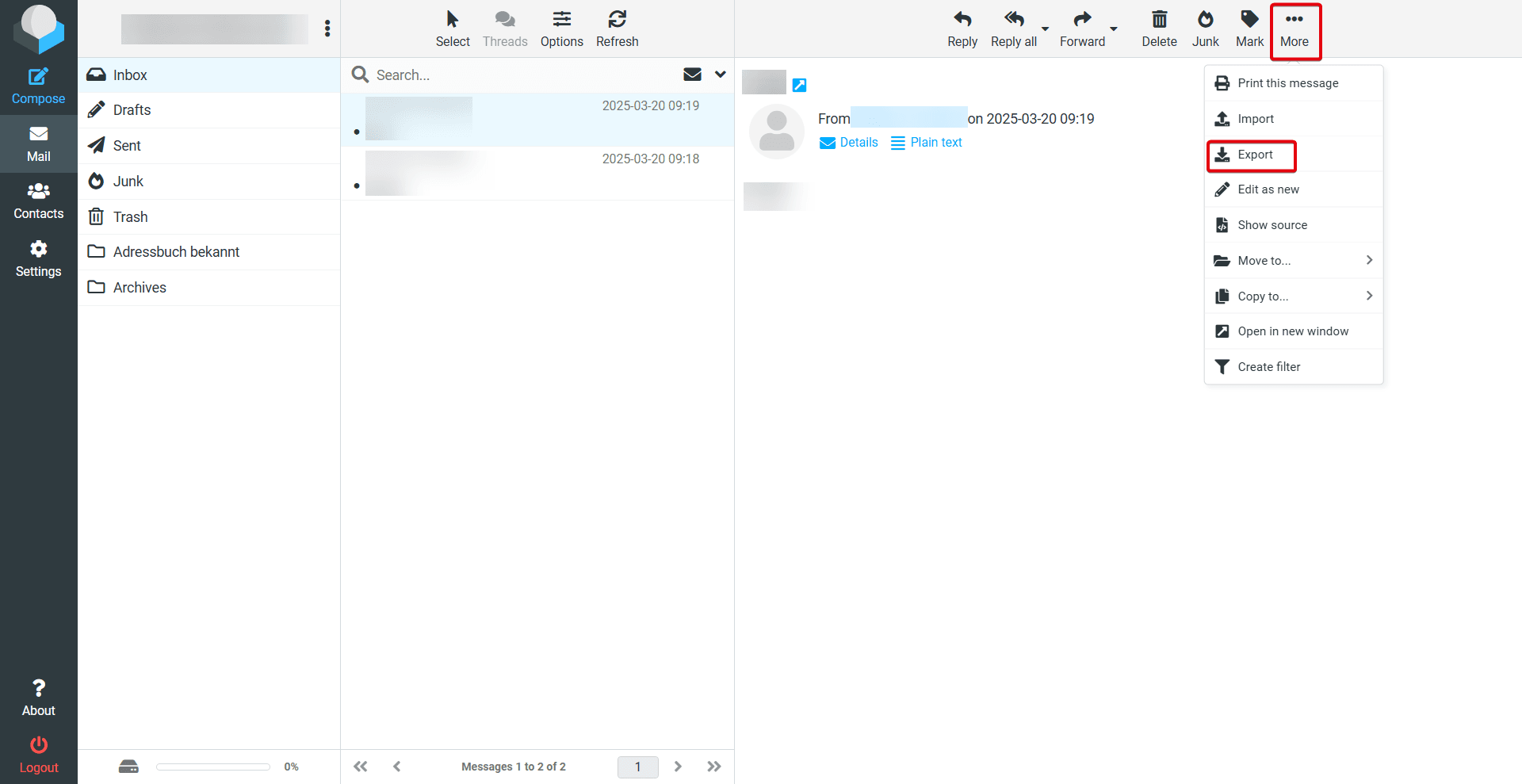
- Click on the email message in question.
- Click More > Export.
- The email will then appear as an .eml file in your Downloads folder. You can forward this file as an attachment.
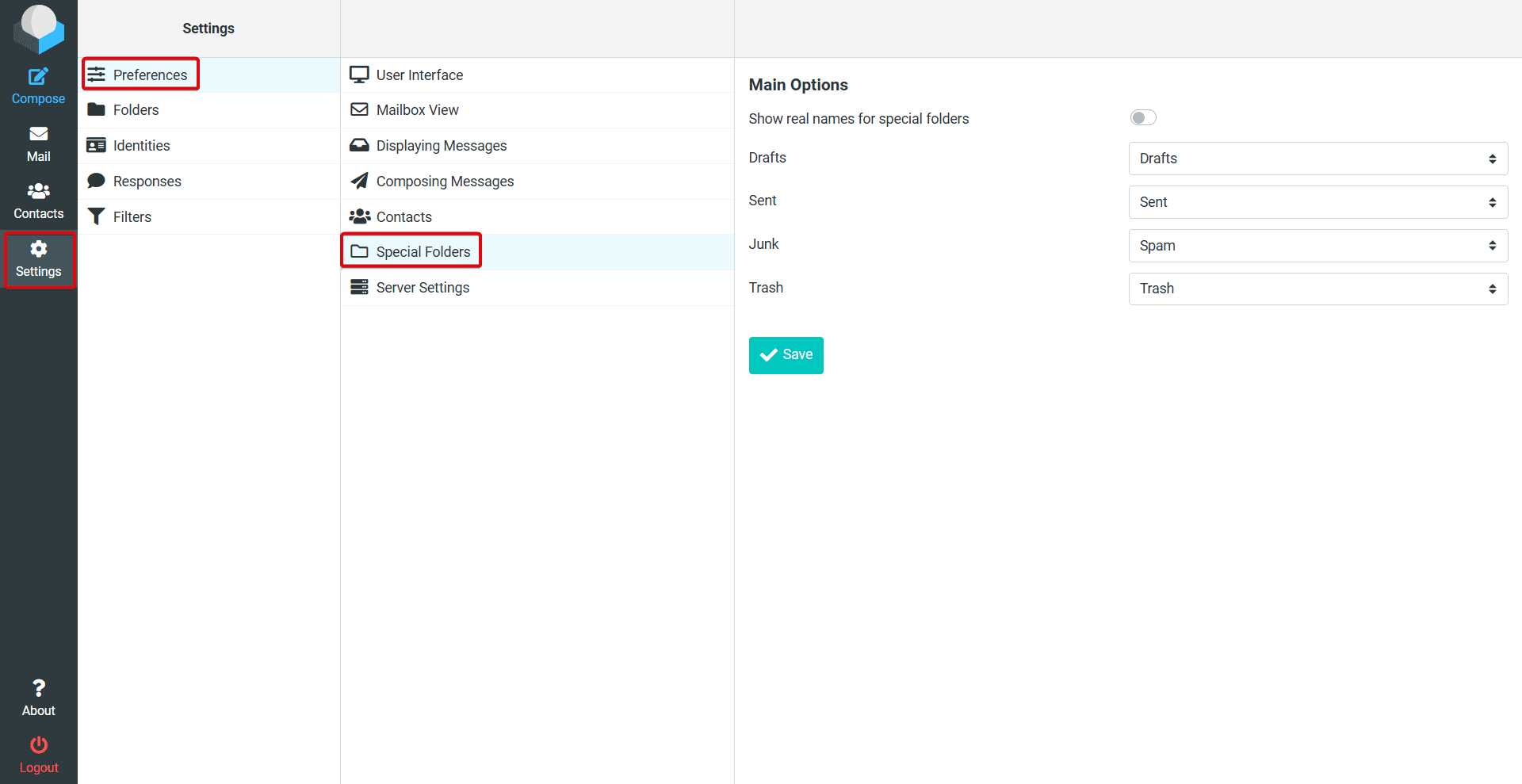
4. Special Folders
The webmail interface includes 4 special folders: Drafts, Sent, Spam, and Trash. These are predefined folders that serve specific functions within the email system and are often used automatically.
When using external clients, make sure the settings are the same.
You may also be interested in:
Last update: 23 July 2026
Was this article helpful?