
Product Upgrade
Learn how to upgrade your product to a more extensive plan.
We offer upgrades to more extensive plans or plans with longer minimum contract terms for some of our products. If an upgrade is not available for your plan, please cancel your plan and order a new one directly through our website.
1. Checking Availability
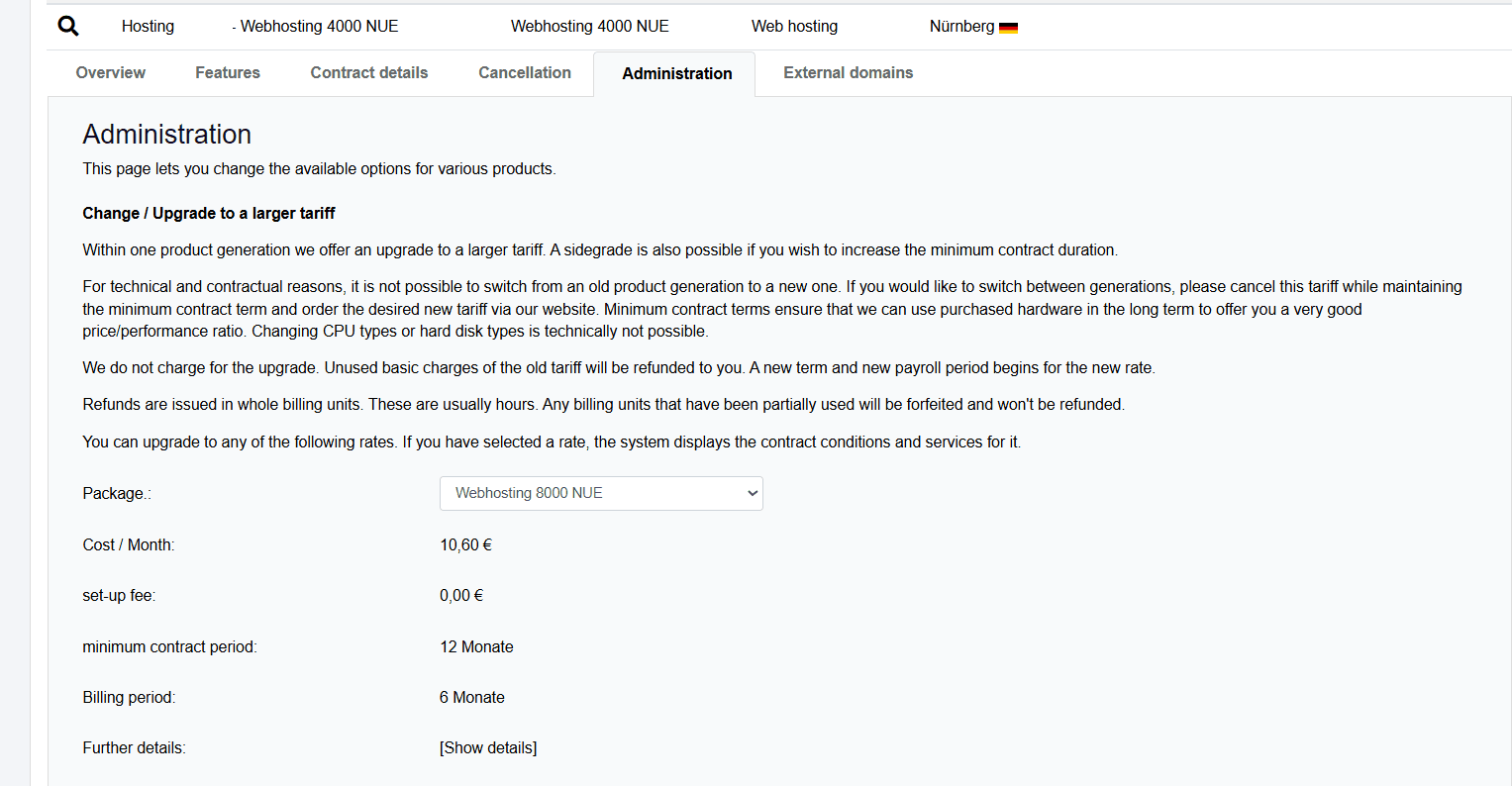
In the Customer Control Panel (CCP), you can see if an upgrade is available for your desired product.
- Log in to the Customer Control Panel (CCP).
- Go to the Products menu item.
- Click the Magnifying Glass Icon in front of the corresponding product.
- Open the Administration tab.
- Select a plan to view its details.
- Click [Show details] to get more product information.
2. Performing Upgrade
- Select your desired plan.
- Read the terms and conditions, then accept them by checking the box.
- Click Upgrade.
The upgrade marks the beginning of a new minimum contract term. If you do not cancel the plan at least 31 days before the end of the minimum contract term, it will be extended again for the minimum contract term. (exceptions: for private customers, it is extended by one month). Plans with a minimum term of 0 months can be canceled at any time.